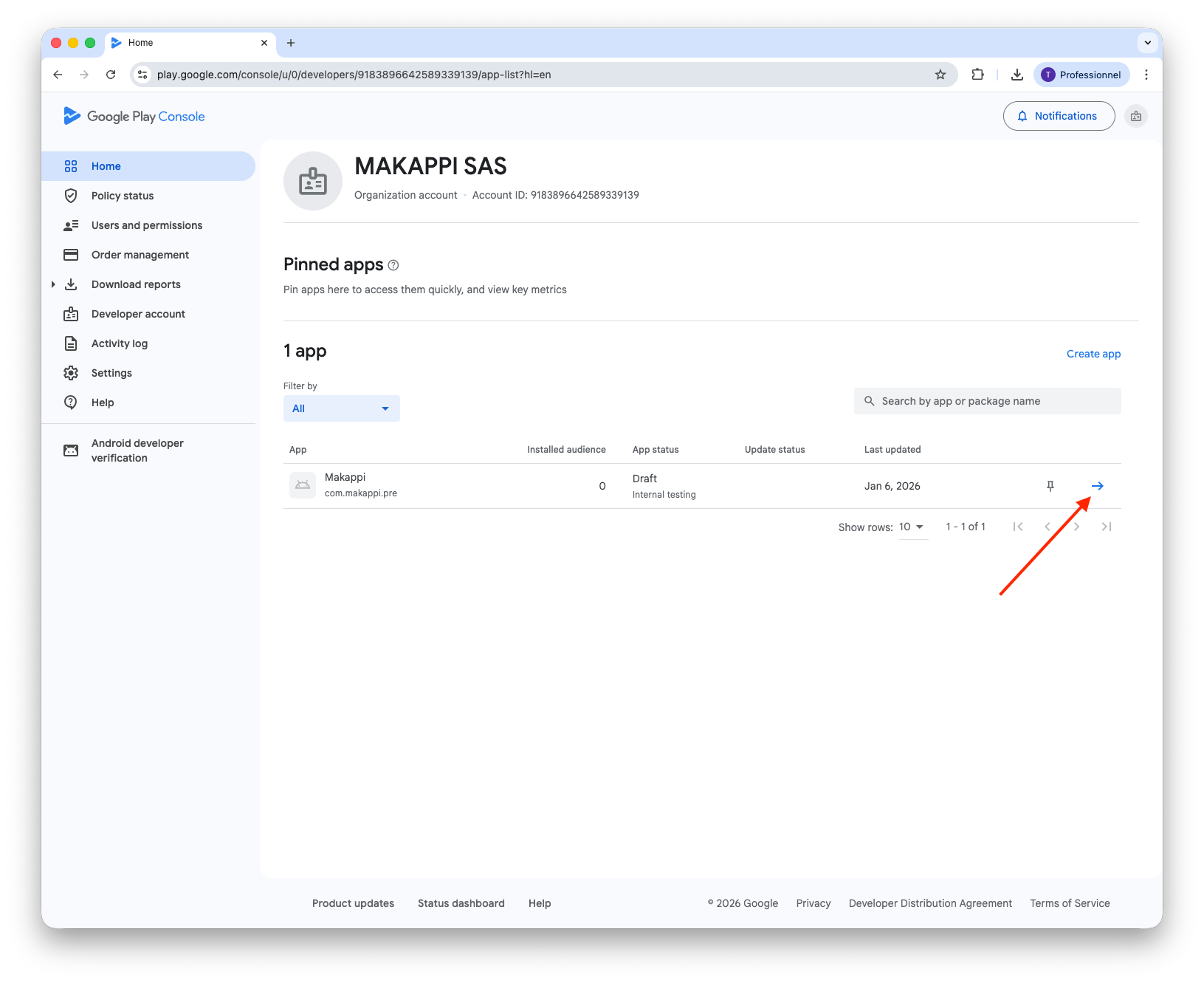
Unlock Upload Key
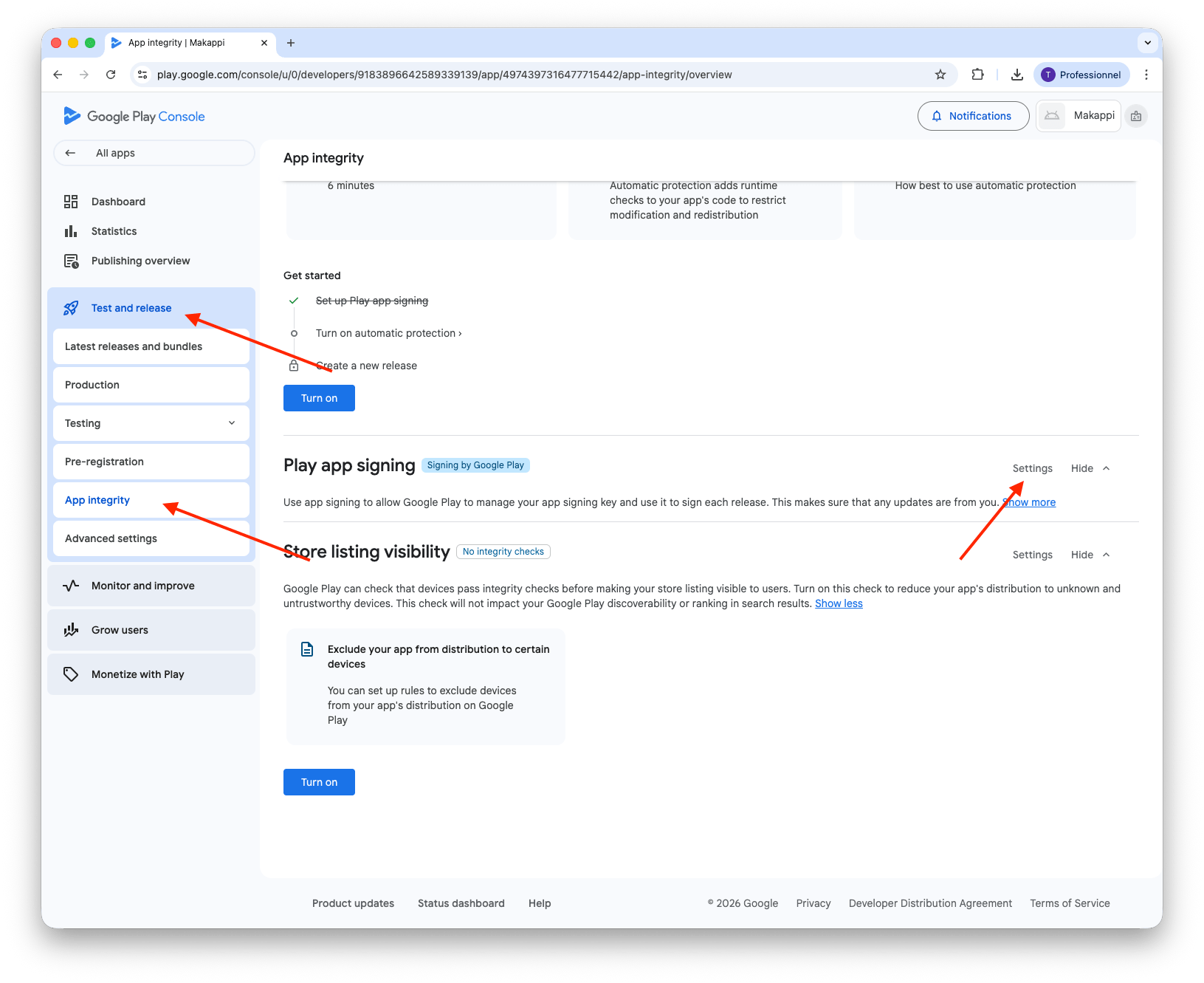
2. Open App Integrity Settings
Go to "Protected with Play". Open the "Play Store Protection" section and select "Manage Play app signing".
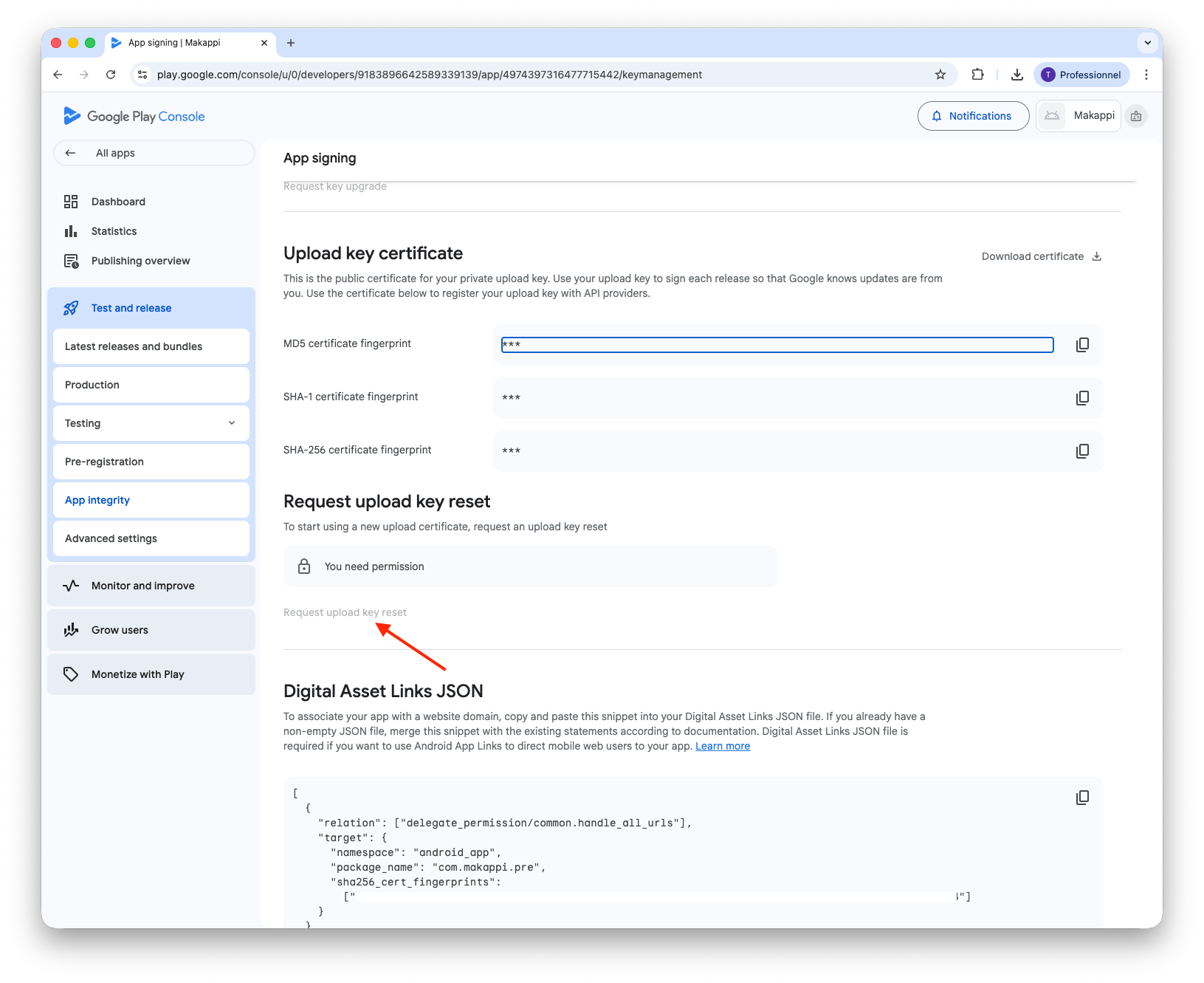
3. Request Upload Key Reset
Click "Request Upload Key Reset".
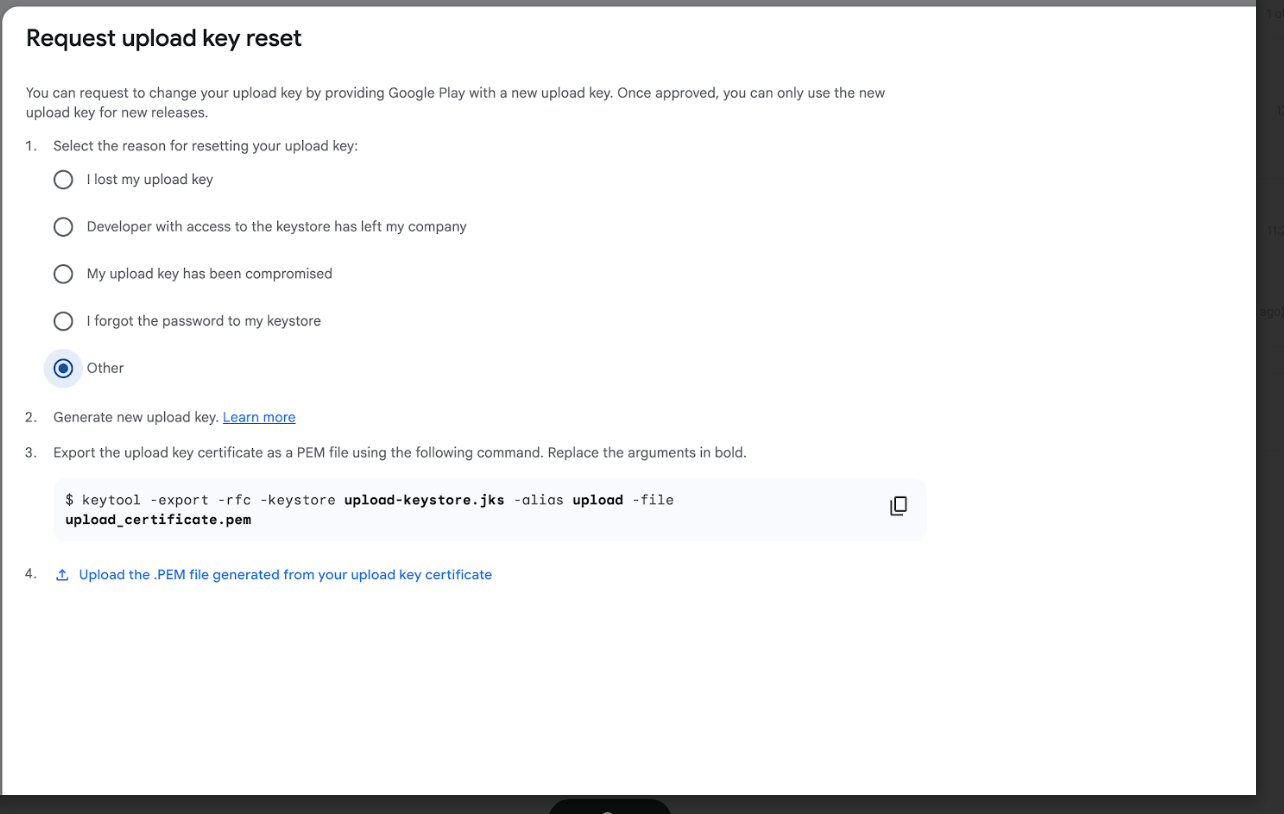
4. Complete the Upload Key Reset
In the dialog that appears:
- Select the reason for resetting your upload key (select "Other").
- Steps 2 and 3 are handled by Makappi — you don't need to do anything for these.
- Upload the
upload_certificate.pemfile provided by Makappi using the "Upload the .PEM file" button.
If you haven't received the
upload_certificate.pem file, contact support to get it.