How to accept the Apple Developer Agreement?
Why is this needed?
From time to time, Apple updates the Apple Developer Program License Agreement. When a new version is available, it must be reviewed and accepted before any app update can be submitted to the App Store.
Until the agreement is accepted, we are unable to publish or update your app. Only the Account Holder (the person who originally created the Apple Developer account) can review and accept the agreement.
How to accept the agreement
- Go to your Apple Developer account.
- If you see a notification or a message about a pending agreement, click on it.
- Review the agreement in the pop-up that appears, then click Agree to confirm.
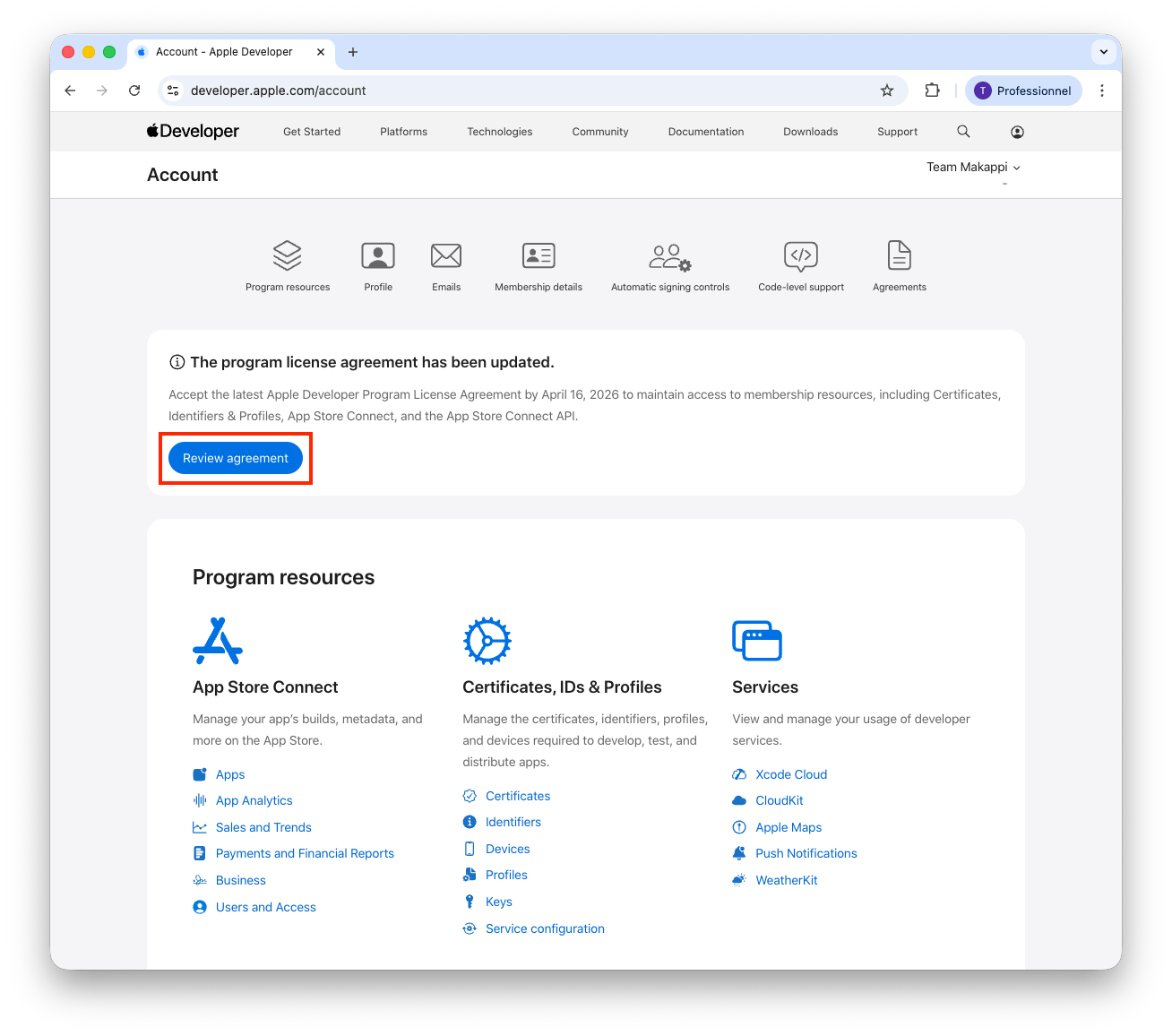
If there is no notification or message, the agreement is already up to date and no action is required on your end.
Check App Store Connect as well
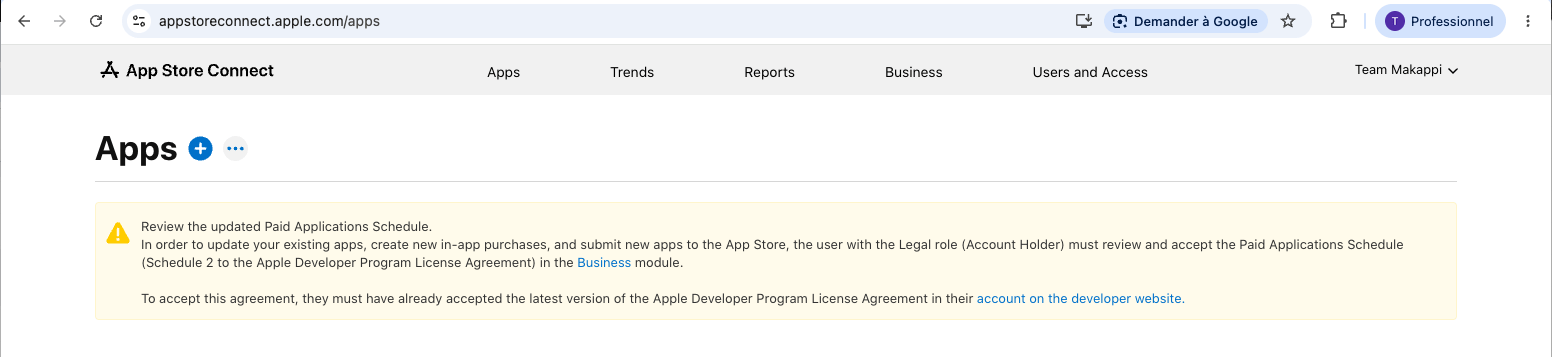
You also need to sign in to App Store Connect and check whether there is a pending request in the Business section. You may see a message such as:
Review the updated Paid Applications Schedule. In order to update your existing apps, create new in-app purchases, and submit new apps to the App Store, the user with the Legal role (Account Holder) must review and accept the Paid Applications Schedule (Schedule 2 to the Apple Developer Program License Agreement) in the Business module.
If this is the case, go to the Business section.
Then handle the pending Paid Apps Agreement and accept it.
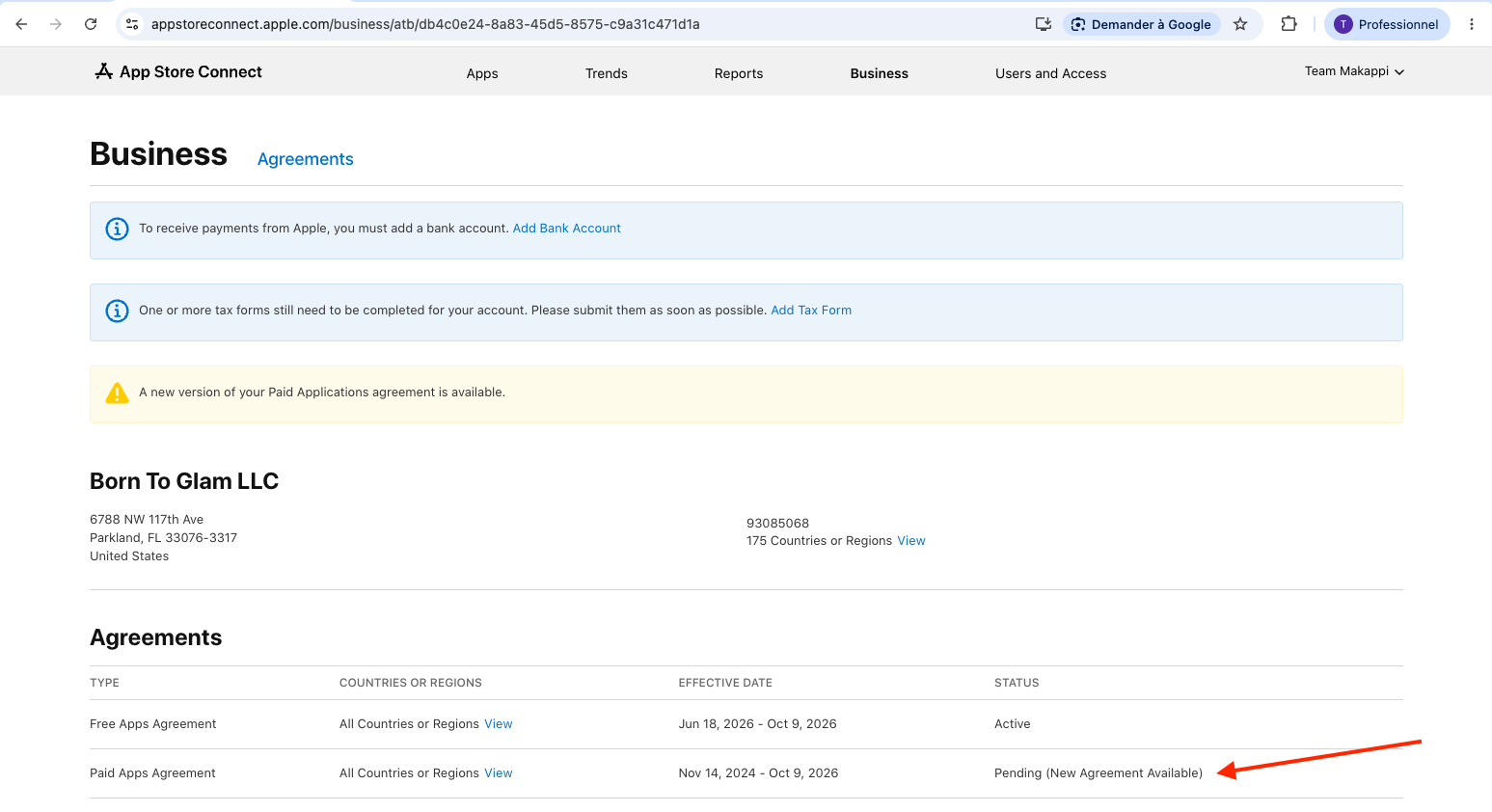
Because your app is free, you can safely ignore the alerts about "To receive payments from Apple, you must add a bank account." and "One or more tax forms still need to be completed for your account. Please submit them as soon as possible." — no bank account or tax form is required for a free app.
Once the agreement has been accepted, please let us know so we can proceed with your app update.