Set up Loop Subscriptions
Connect Loop Subscriptions to Makappi so customers can choose subscription plans on eligible products in your app.
1. Check the product in Shopify
Set up its subscription plan in Loop. In Shopify, make sure the product is active, in stock and available on the Makappi sales channel.
2. Generate a Loop API token
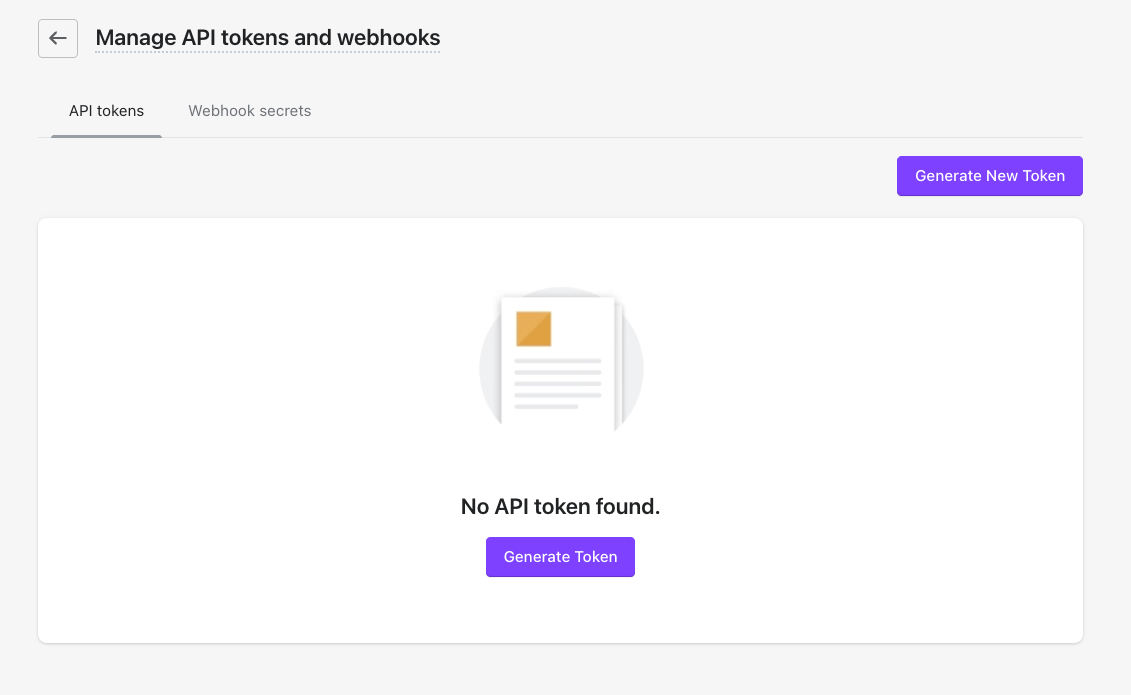
In Loop, open Settings > Admin > API tokens and select Generate New Token (or Generate Token if the list is empty).
Enter Makappi as the name. Select only Customers with Read & write permission, then click Generate.
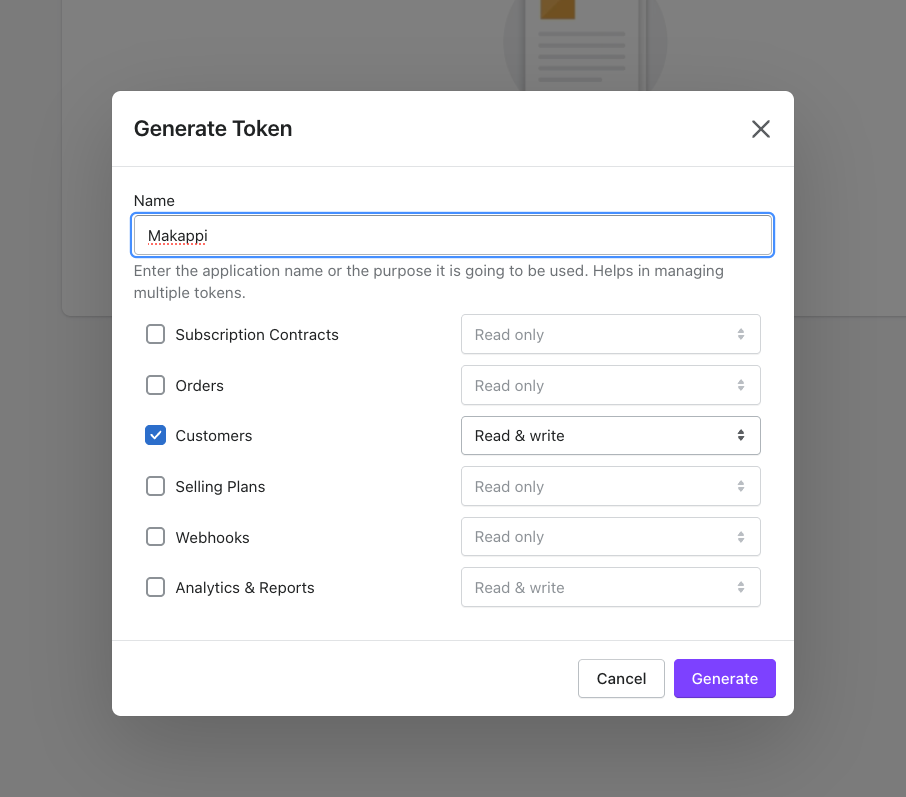
Copy the generated API token. Keep it private. The Loop Selling Plans permission is not needed because Makappi reads purchase plans through Shopify.
3. Publish the Makappi integration
In Makappi, open Settings > Integrations > Loop Subscriptions, click Enable integration, paste the token into API token, then click Publish Changes at the top of the page. You can enter the token before this first publication. The field keeps the saved value so you can review or replace it later.
The token is kept on the Makappi server and is not included in the configuration sent to the mobile apps.
4. Check the purchase flow
Open an eligible product in your app, choose a subscription plan and check that the selected plan and price remain in the cart through Shopify checkout.