Gorgias
The Gorgias integration allows you to embed a live chat widget directly into your App, so your customers can contact your support team without leaving the App.
Setup
To activate the Gorgias integration, go to Settings > Integrations in the Makappi Backoffice and enter your Gorgias Application ID.
How to Find Your Gorgias Application ID
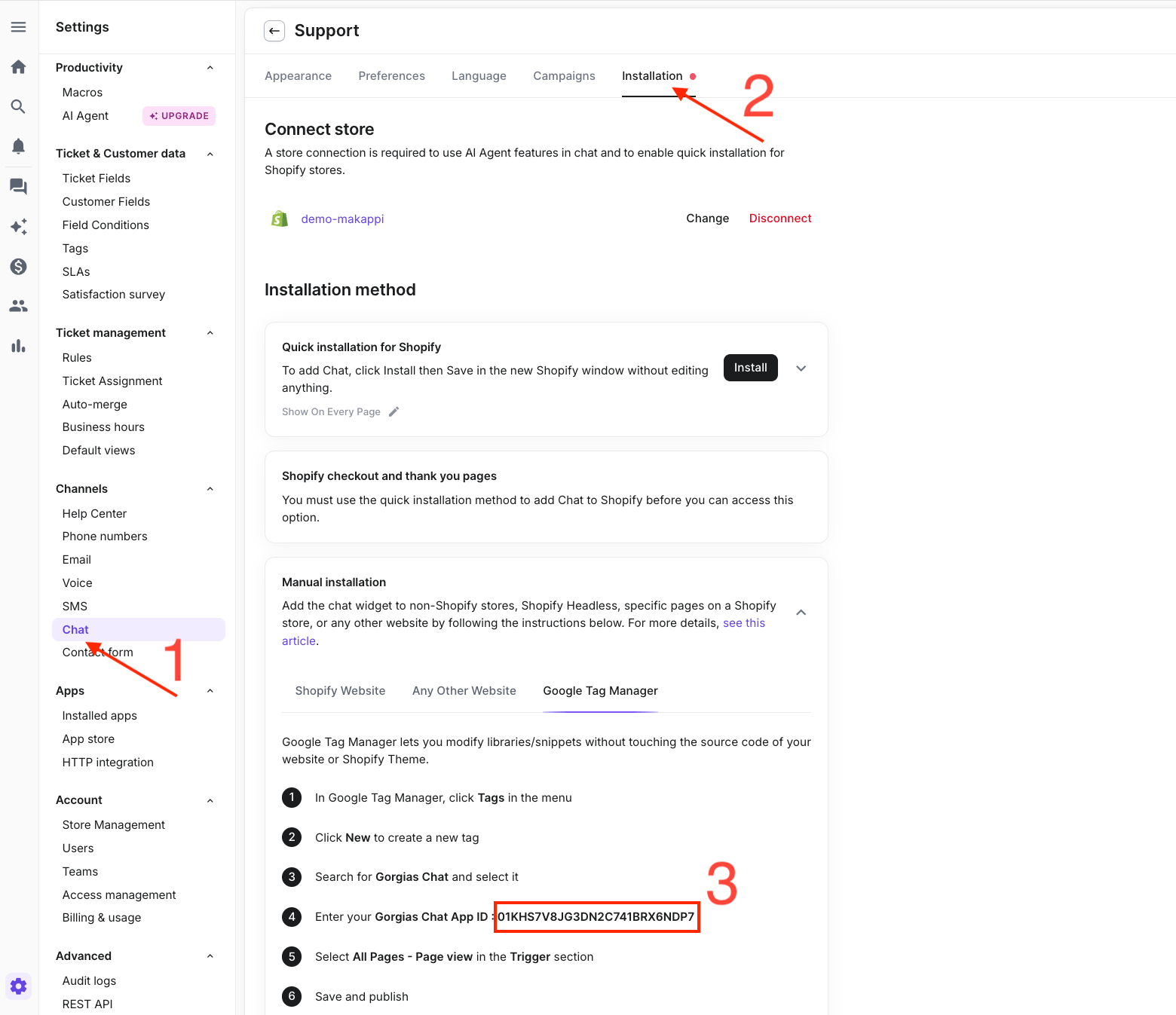
To locate your Application ID, follow these steps in your Gorgias dashboard:
- Go to Settings and select Chat in the Channels section
- Choose the Chat widget you want to connect
- Go to Installation > Manual Installation > Google Tag Manager
- Your Chat Application ID will be displayed in step 4
Adding the Chat to Your Menu
To make the Gorgias chat accessible to your customers, a "Contact" link can be added to your App's menu. Contact us at support@makappi.com and we will add it for you.