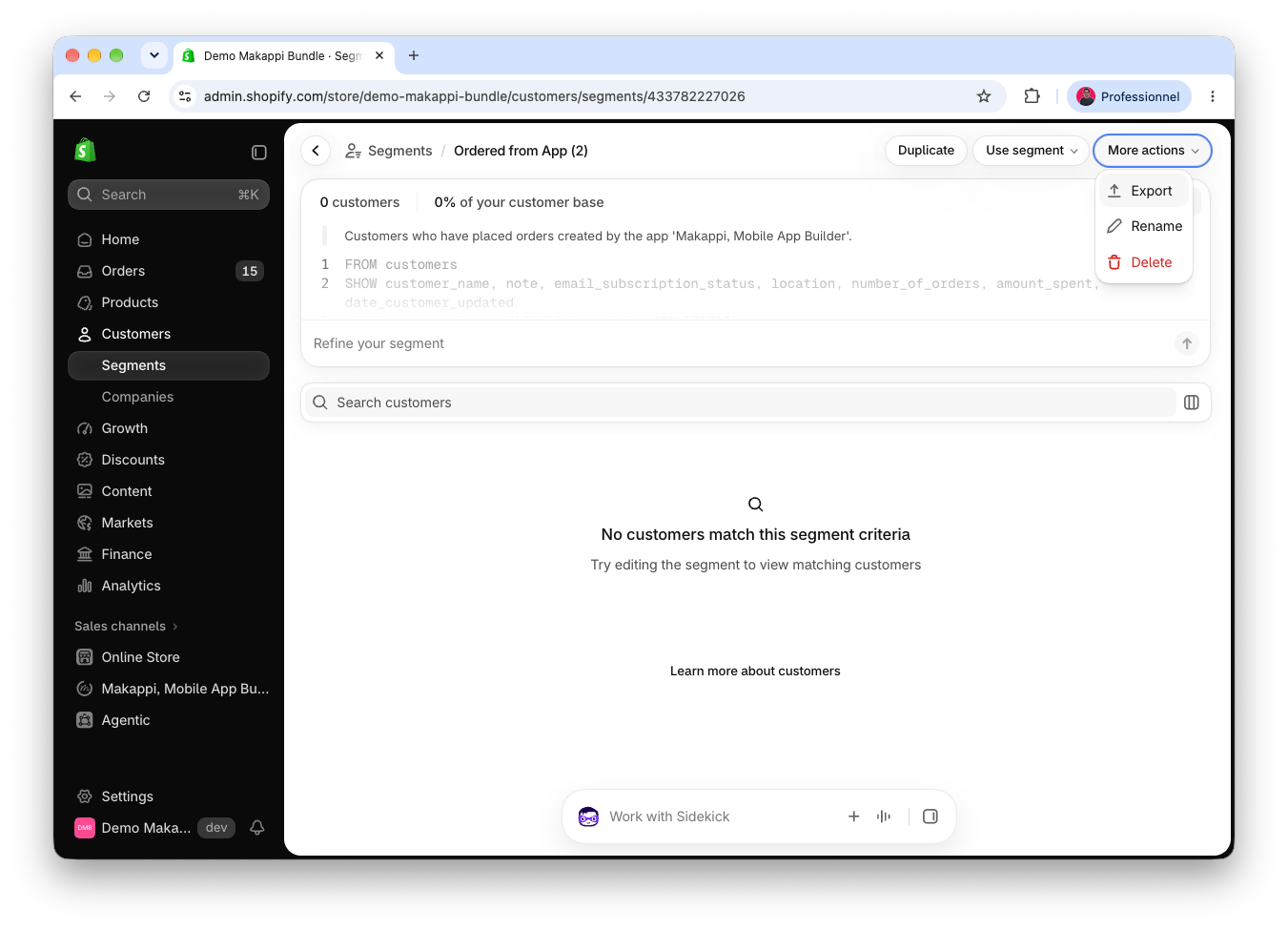
How to find customers who ordered through your app?
Create a Shopify customer segment to find customers who have placed at least one order through the Makappi sales channel. You can then export the customer list if needed.
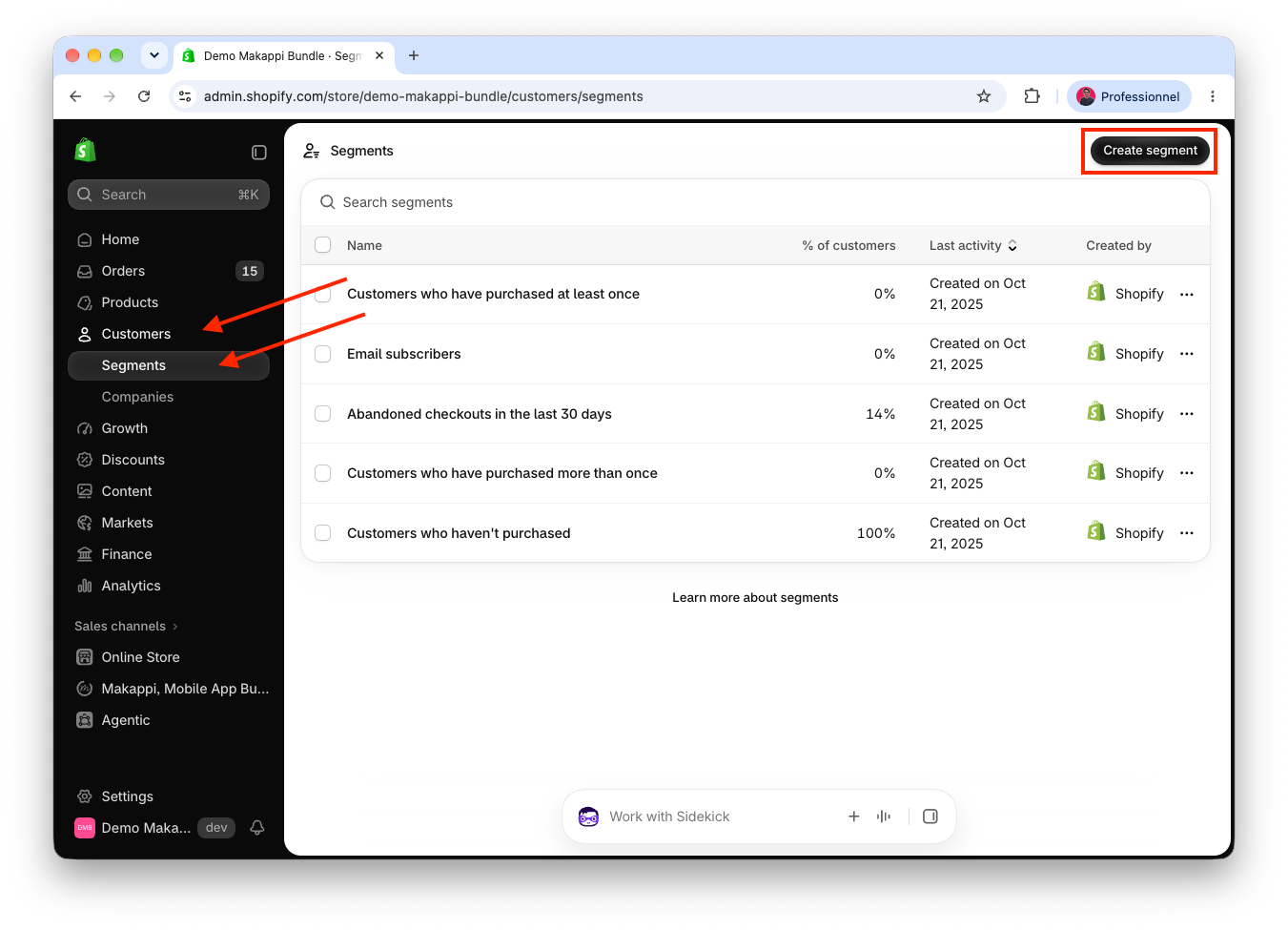
1. Open customer segments
In your Shopify admin, go to Customers → Segments, then click Create segment.
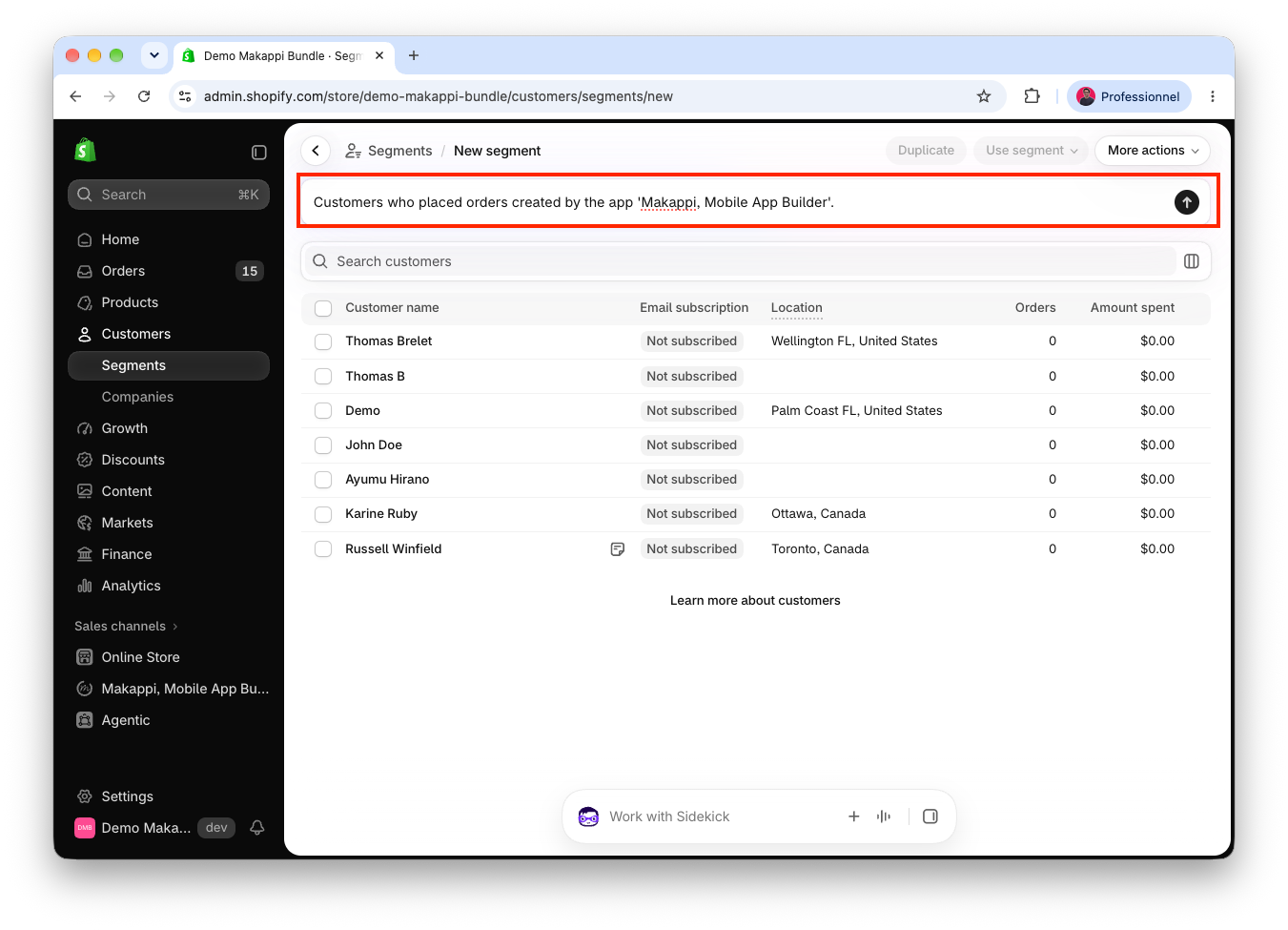
2. Describe the customers you want to find
Copy the sentence below and paste it into the segment description field. Then click the arrow on the right.
Customers who placed orders created by the app 'Makappi, Mobile App Builder'.
3. Save the generated segment
Shopify generates the query and displays the matching customers. Check that the description refers to customers who placed orders through Makappi, then click Save.
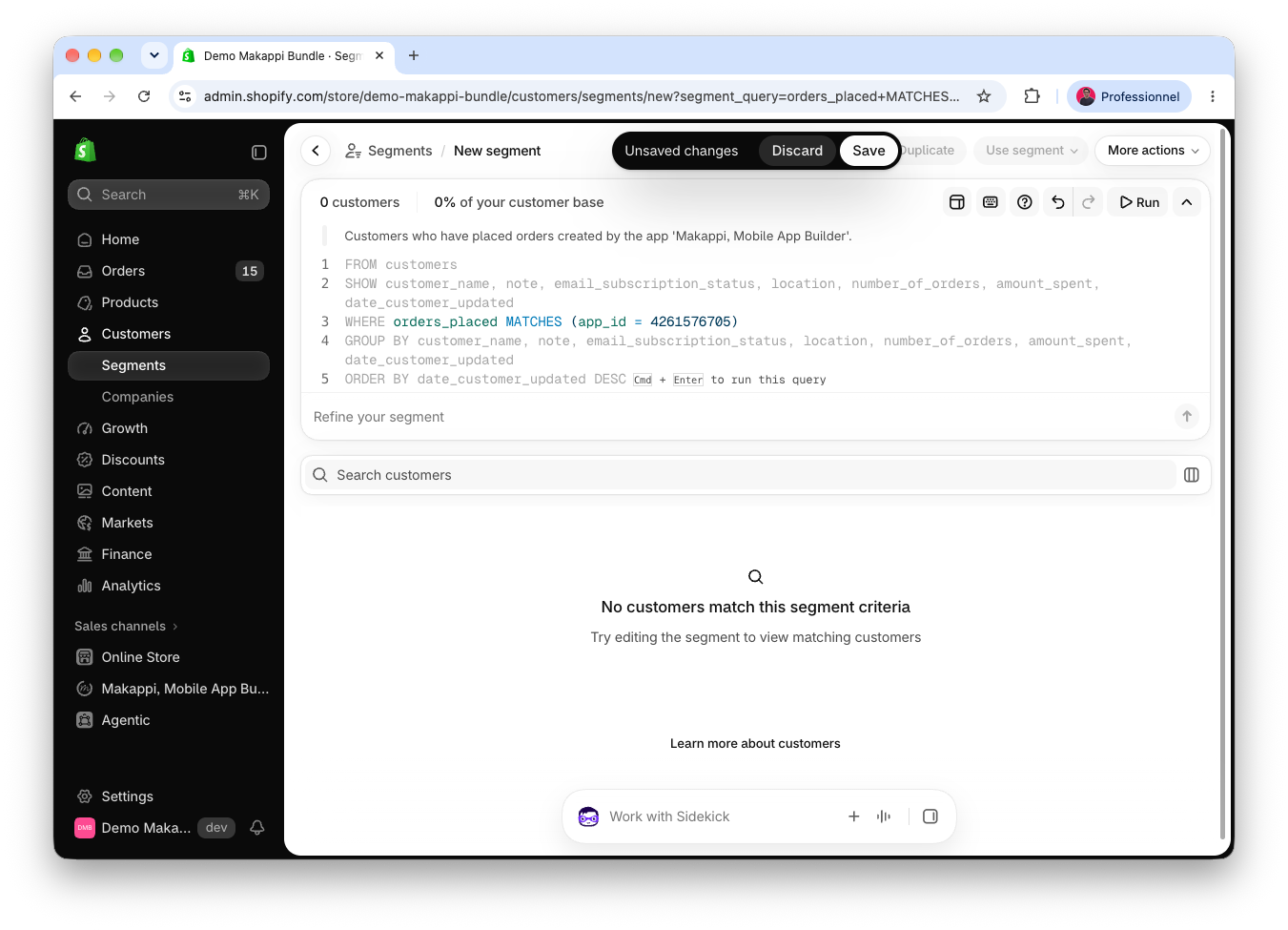
The segment can be empty if no customers match yet. It updates automatically as customers place orders through Makappi.
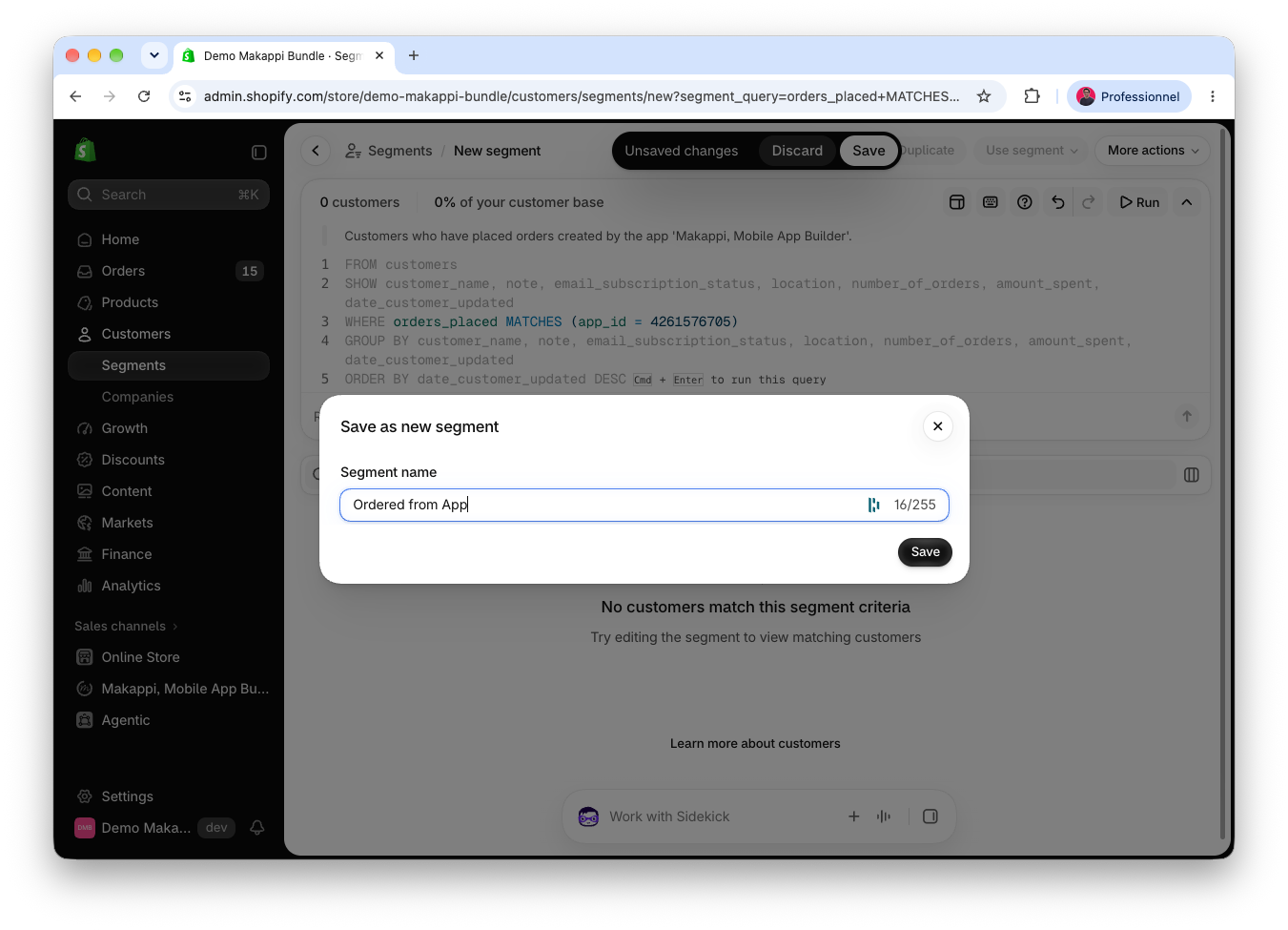
4. Name your segment
Enter a name, such as Ordered from App, then click Save.
5. Export the customer list (optional)
Once the segment is saved, open More actions → Export to export the customer list.